
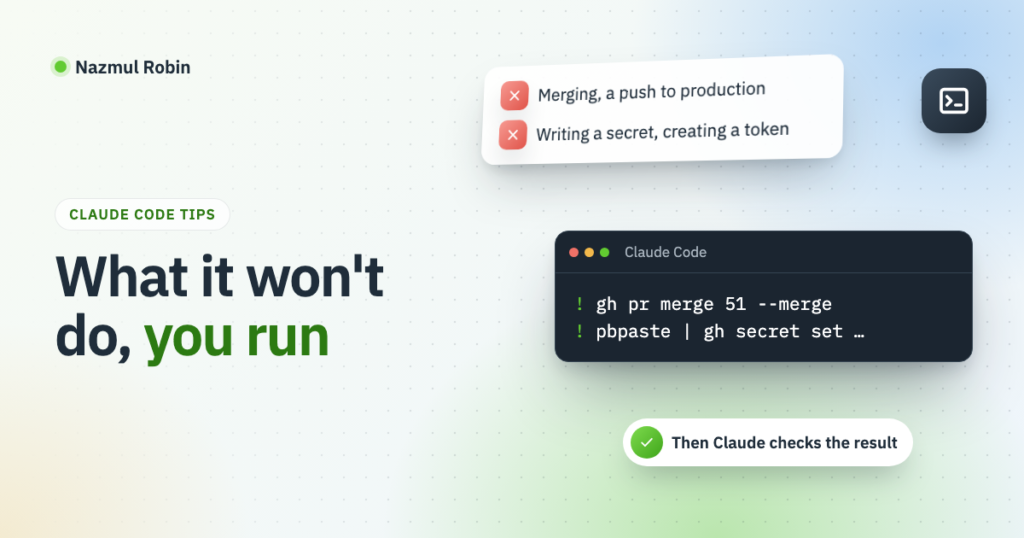
Most of this blog was built in long Claude Code sessions. In those sessions a few actions were stopped every time, even after I typed “do it, I will approve”. This tip covers which ones, why I stopped fighting it, and the two habits that made it painless.
It follows the earlier tip on two accounts on one machine.
What was stopped
In my sessions these were blocked by Claude Code’s permission checks:
- Pushing to the production branch. On this blog a push to
productiondeploys the live site. - Merging a pull request. Merging into
mainin the posts repo publishes posts. - Writing a repository secret, such as the token the deploy uses.
- Creating a token, for GitHub or anything else.
Each of them changes something that is hard to take back, or hands out access. Saying “go ahead” in the chat did not change that. The check looks at the action, and a sentence in the conversation is not the same as a permission rule.
It felt like friction at first. Then I noticed that these four are exactly the moments I want to be the one pressing the button. A deploy to the live site should happen because I decided it, not because I said “yes” to a long plan an hour earlier.
What it did without asking twice
Once I had said so, these ran without more questions for the rest of the session:
- Reading the live server over SSH: logs, file listings, WP-CLI reads.
- Deploying a branch to staging, which can only break staging.
- Opening pull requests, pushing to their branches and answering review comments.
That split is a good one. Claude does the work and gets it to the edge of production, and I make the step over the edge.
Habit one: run the command yourself with !
A line that starts with ! in the Claude Code prompt runs as a shell command in the session. Its output lands in the conversation, so Claude sees it as if it had run the command itself.
So when a step is blocked, I ask Claude for the exact command, check it, and run it:
! gh pr merge 51 --mergeThen I ask Claude to verify the result: that the deploy workflow started, that the post was scheduled, that the site still answers. It reads the output of my command and carries on from there. The session never loses the thread.
This is also faster than leaving the session to do it in another terminal, because nothing has to be copied back.
Habit two: a secret goes through the clipboard
Setting a secret has a second problem. Even when I run the command, I do not want the value in the conversation, where it would sit in the session’s history.
So the value never appears on screen. I copy it from where it was made, such as the GitHub token page, and pipe the clipboard straight into the command:
! pbpaste | gh secret set DEPLOY_TOKEN --repo me/my-blogpbpaste prints the macOS clipboard; on Linux xclip -o or wl-paste does the same. gh secret set reads the value from standard input when none is given. Claude sees only the command and ✓ Set Actions secret DEPLOY_TOKEN, never the token. Afterwards it can check that the secret exists with gh secret list, which shows names and dates and no values.
One limit: a ! command cannot answer a prompt. A command that asks for a password while it runs just waits. The clipboard route works because the value goes in through a pipe, not a prompt.
Things that caught me
- “I will approve” is not an approval. I said it more than once, and the action was stopped every time. A permission lives in Claude Code’s permission settings, not in the chat.
- Ask for the command, not for an explanation. “This needs you to merge it” is less useful than the exact
ghline to run. I now ask for the command whenever a step is blocked. - The token page shows the value once. Copy it straight into the pipe. If something goes wrong in between, make a new token rather than look for the old one in a file.
The blocked steps are the ones that should be mine anyway. With ! they cost one line each.
Leave a Reply