
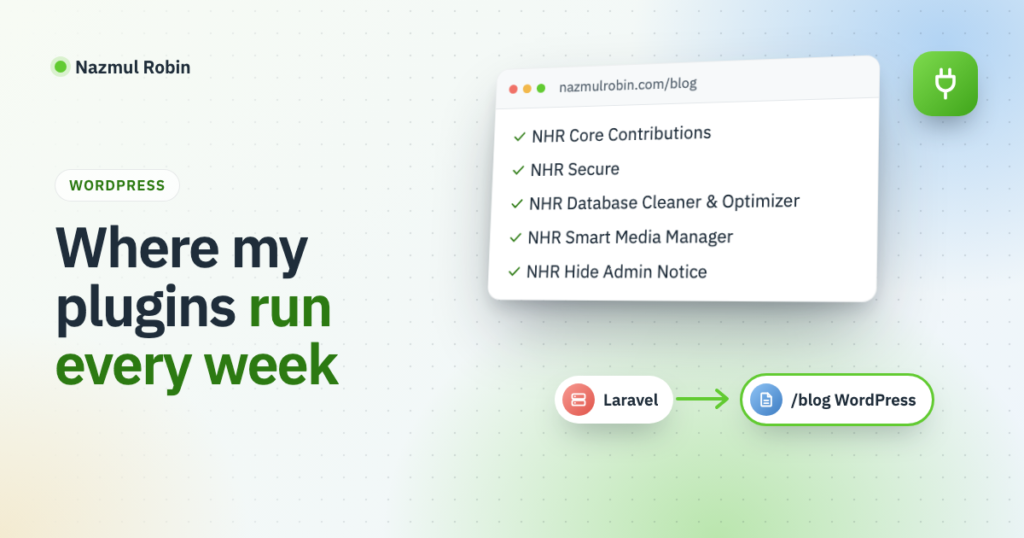
My site was already a Laravel app that could have held a blog. I added WordPress to it anyway, with its own install, its own deploy and its own theme. This post is why.
The short answer has two parts. I wanted a real site where my own plugins run in production, so I meet their problems before their users do. And I wanted a place to show those plugins and write about them.
The site was already Laravel
nazmulrobin.com is a Laravel app. Adding a few blog pages to it would have been the smaller job.
But my work is WordPress. I build WordPress plugins and I contribute to WordPress core. A blog about that work, running on something else, would be a strange choice. Every post about a block, a hook or a REST route would be describing software the blog itself did not use.
So the blog is WordPress, at /blog on the same domain. How the two share one domain is in running WordPress at /blog on a Laravel site.
Running my own plugins for real
Five of my plugins from WordPress.org are active on this blog:
- NHR Core Contributions shows a contributor’s WordPress core work. I wrote about how it works inside.
- NHR Secure is my security plugin: login protection, two-factor sign-in and an activity log.
- NHR Database Cleaner & Optimizer keeps the options table and the rest of the database tidy.
- NHR Smart Media Manager organizes the Media Library into folders.
- NHR Hide Admin Notice keeps the dashboard free of notices.
Before this blog, they ran on my local test sites. A test site is a strange place. Nothing on it matters and nobody visits it. I test the feature I just wrote, in the way I expect it to be used, and move on.
A site I depend on is different in three ways.
- The plugins run together. Here all five share one dashboard, with the blog’s own site plugin beside them, and each has to behave with the others there.
- They run on real hosting. This blog is on ordinary shared hosting, not on my laptop. The web server, the PHP setup and the limits are whatever the host gives.
- They get updated like a user updates them. The blog installs its plugins with Composer, from the same zips WordPress.org serves. A new version of my plugin reaches this site the way it reaches everyone: as an upgrade over the old version, with settings already in place.
Small plugins get few bug reports. That does not mean they have few bugs. It means the only person sure to notice is the author, and only if the author is also a user.
What real use has caught so far
The blog is new, so this list is short, and I will add to it.
The first example came while I was building the blog’s own site plugin, and I mentioned it briefly in the LinkedIn post. It shows notices in wp-admin: one when the LinkedIn connection is about to expire, one about the result of a share. On this blog they could not appear.
The reason is another plugin of mine. NHR Hide Admin Notice removes everything printed on the admin_notices hook. That is its whole job. On a site where I also need to see two notices, it hides the warnings I wrote for myself.
My site plugin now prints its notices on a different hook:
add_action( 'all_admin_notices', array( $this, 'notices' ) );That fixed my side. The more useful result is the question it left me with on the other side: a plugin that hides every notice also hides the ones that matter. I only met that because both plugins are mine and both are on a site I care about.
A place to show the plugins
A plugin’s page on WordPress.org says what it does. It has little room for why it was built, how it works or what a real setup looks like.
This blog is that room. A post can walk through one plugin from the inside, as the one on NHR Core Contributions does. A post about something else can mention a plugin where it was actually used. And each post goes to my LinkedIn profile by itself, so the people who follow my work there see it.
I would rather show a plugin doing a real job on a real site than write one more list of features.
Built in the open
There is a third reason, and it is why the blog took longer than installing WordPress and picking a theme. I wanted to build it the way I think a site should be built: the code in git, plugins installed by Composer, a deploy on every release, and posts written as Markdown files that publish on push.
Each of those pieces is something I can write about, with the real code, and something a reader can copy.
What this blog will cover
- How this blog is built, one piece per post, in the series “Building this blog”.
- My plugins: how they work inside and what I learned making them.
- WordPress core contribution, as in how I contribute to core with AI.
- Claude Code tips, short ones, like two accounts on one machine.
Every post is about something I built or did, written so you can follow the same steps.
Leave a Reply