
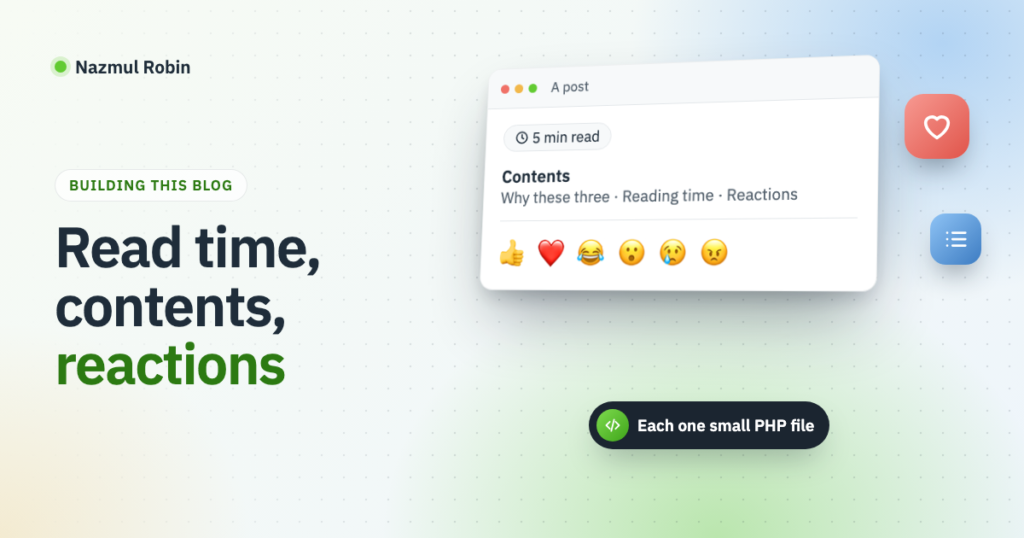
Every post on this blog now shows three small things: how many minutes it takes to read, a list of its sections, and a row of reaction buttons at the end. Each is one small PHP file in this blog’s own site plugin, and the reactions add one short JavaScript file.
This is the fourth post about how this blog is built. The earlier ones cover running WordPress at /blog on a Laravel site, sharing posts on LinkedIn and publishing posts from Markdown files.
Why these three
My posts are how-to posts. People do not read them from top to bottom; they arrive with a problem and look for the part that solves it.
- Reading time answers the first question a reader has: is this a two minute tip or a ten minute walkthrough? They can decide to read now or save it.
- A contents list lets them jump to the section they came for. It also shows the shape of the post before they commit to it.
- Reactions are for me. A comment takes effort, so most readers never leave one. A reaction is one click, with no name and no login, and it tells me which posts were worth writing.
There are plugins for all three. I did not want three plugins, each with a settings page, for what turned out to be about 300 lines.
One rule shared by all three
Nothing is saved in the post. All three change the page when it is shown, through the the_content filter. If I change how the contents list looks, every post has the new one at once, and my Markdown files stay plain.
That filter runs in more places than a post’s own page: in feeds, in excerpts, and for other posts listed on the same page. So each of the three starts with the same check:
if ( ! is_singular( 'post' ) || ! in_the_loop() || get_the_ID() !== get_queried_object_id() ) {
    return $content;
}
It reads: a single post is being viewed, WordPress is inside its loop, and the content being filtered belongs to the post in the URL.
Reading time
Count the words, divide by a reading speed, round up. I use 200 words a minute.
function myblog_reading_minutes( $content ) {
    return max( 1, (int) ceil( str_word_count( wp_strip_all_tags( $content ) ) / 200 ) );
}

add_filter(
    'the_content',
    function ( $content ) {
        // The check from above goes here.

        $minutes = myblog_reading_minutes( get_post_field( 'post_content', get_the_ID() ) );

        return sprintf(
            '<p class="myblog-reading-time">%s</p>',
            esc_html( sprintf( __( '%s min read', 'myblog' ), number_format_i18n( $minutes ) ) )
        ) . $content;
    },
    30
);
Two details matter. The words are counted in the stored post, not in $content, because by then other filters have added their own text to it. And the priority is 30, later than the contents list at 20, so the reading time ends up above the list and not under it.
Later I redesigned the blog and moved the reading time out of the content, to the line beside the date. The theme’s template now asks for the same number through a block binding, so myblog_reading_minutes() stayed and the filter went. If the theme is not yours to edit, the filter above is still the shortest way.
The contents list
My posts arrive from Markdown, so a section heading is a bare <h2> with no attributes. The filter does two jobs in one pass: it gives each heading an id, and it collects a link to that id.
$items = array();

$with_ids = preg_replace_callback(
    '/<h2>(.*?)<\/h2>/s',
    function ( $heading ) use ( &$items ) {
        $text = wp_strip_all_tags( $heading[1] );
        $slug = sanitize_title( $text );
        $slug = $slug ? $slug : 'section';
        $id   = $slug;

        for ( $number = 2; isset( $items[ $id ] ); $number++ ) {
            $id = $slug . '-' . $number;
        }

        $items[ $id ] = sprintf( '<li><a href="#%s">%s</a></li>', esc_attr( $id ), esc_html( $text ) );

        return sprintf( '<h2 id="%s">%s</h2>', esc_attr( $id ), $heading[1] );
    },
    $content
);

if ( count( $items ) < 3 ) {
    return $content;
}

return '<nav class="myblog-toc" aria-label="Table of contents"><ol>' . implode( '', $items ) . '</ol></nav>' . $with_ids;
sanitize_title() turns “Keeping the blog’s code in git” into keeping-the-blogs-code-in-git, the same way WordPress makes a post slug. The loop adds -2, -3 when two headings have the same text, since an id has to be unique on the page. A post with fewer than three sections gets no list; a list of two links is noise.
One line of CSS stops a heading from landing at the very top edge of the window when its link is clicked:
.wp-block-post-content h2[id] { scroll-margin-top: 3rem; }Reactions
Reactions need three parts: somewhere to keep them, a way to send one, and the buttons.
Keeping them. Each post has one post meta value, an array of visitor to reaction. The counts are worked out from it with array_count_values(). Keeping who reacted, and not just a number per reaction, is what makes “one reaction per visitor” possible, and lets a visitor change their mind.
There is no login, so a visitor is their IP address, passed through wp_hash(). That is a salted hash, so the address itself is never stored:
function myblog_reactions_visitor() {
    return wp_hash( isset( $_SERVER['REMOTE_ADDR'] ) ? sanitize_text_field( wp_unslash( $_SERVER['REMOTE_ADDR'] ) ) : '' );
}
Sending one. A REST route takes the post ID from the URL and the reaction from the request. The enum makes WordPress reject anything that is not on the list before my code runs:
register_rest_route(
    'myblog/v1',
    '/reactions/(?P<id>\d+)',
    array(
        'methods'             => 'POST',
        'permission_callback' => '__return_true',
        'args'                => array(
            'reaction' => array(
                'required' => true,
                'type'     => 'string',
                'enum'     => array( 'like', 'love', 'haha', 'wow', 'sad', 'angry' ),
            ),
        ),
        'callback'            => 'myblog_reactions_save',
    )
);
The callback refuses anything that is not a published, public post, then sets, moves or removes the visitor’s reaction:
function myblog_reactions_save( $request ) {
    $post = get_post( (int) $request['id'] );

    if ( ! $post || 'post' !== $post->post_type || 'publish' !== $post->post_status || post_password_required( $post ) ) {
        return new WP_Error( 'myblog_no_post', 'This post cannot be reacted to.', array( 'status' => 404 ) );
    }

    $given   = myblog_reactions_given( $post->ID );
    $visitor = myblog_reactions_visitor();

    // Choosing the same reaction again takes it back.
    if ( isset( $given[ $visitor ] ) && $given[ $visitor ] === $request['reaction'] ) {
        unset( $given[ $visitor ] );
    } else {
        $given[ $visitor ] = $request['reaction'];
    }

    update_post_meta( $post->ID, '_myblog_reactions', $given );

    return array(
        'counts' => array_count_values( $given ),
        'mine'   => isset( $given[ $visitor ] ) ? $given[ $visitor ] : '',
    );
}
The buttons. PHP prints them after the content, with the current counts and with aria-pressed="true" on the visitor’s own reaction. The route’s URL sits in a data-url attribute on the wrapper, so the script needs no settings passed to it:
document.querySelectorAll( '.myblog-reactions' ).forEach( function ( box ) {
    box.addEventListener( 'click', function ( event ) {
        var button = event.target.closest( 'button[data-reaction]' );

        if ( ! button ) {
            return;
        }

        fetch( box.dataset.url, {
            method: 'POST',
            headers: { 'Content-Type': 'application/json' },
            body: JSON.stringify( { reaction: button.dataset.reaction } ),
        } )
            .then( function ( response ) {
                return response.ok ? response.json() : Promise.reject();
            } )
            .then( function ( data ) {
                box.querySelectorAll( 'button[data-reaction]' ).forEach( function ( item ) {
                    var name = item.dataset.reaction;

                    item.setAttribute( 'aria-pressed', data.mine === name ? 'true' : 'false' );
                    item.querySelector( '.myblog-reactions__count' ).textContent = data.counts[ name ] || '';
                } );
            } )
            .catch( function () {} );
    } );
} );
The server answers with the new counts and the visitor’s own reaction, and the script paints exactly that. It never guesses the numbers itself, so the page cannot drift from what is stored.
Things that caught me
- An IP address is not a person. Everyone in one office or on one home network shares a reaction, and someone whose address changes can react twice. For a personal blog I accept that. The alternatives are a cookie, which is cleared in one click, or a login, which nobody will do for a thumbs up.
- Missing post meta is an empty string, not an empty array.
get_post_meta( $id, $key, true )returns''for a post with no reactions, andarray_count_values( (array) '' )counts one reaction with no name. A small helper returns the value only when it is an array. - No nonce on the route. A WordPress REST nonce proves who a logged-in user is. This route does the same thing for everyone, so there is nothing for it to prove. The worst a forged request can do is place one reaction from that visitor.
- A page cache would break the highlight. The visitor’s own reaction is marked when PHP builds the page. This blog has no full-page cache. With one, the buttons would have to load their state by script.
- The first reading time was too high. I counted the words in the filtered content, which already held the contents list, so every heading was counted twice. Counting the stored post fixed it.
That is three features in three files, and no settings page for any of them. If you got this far, the buttons are right below.
Leave a Reply